Live Battle Companion
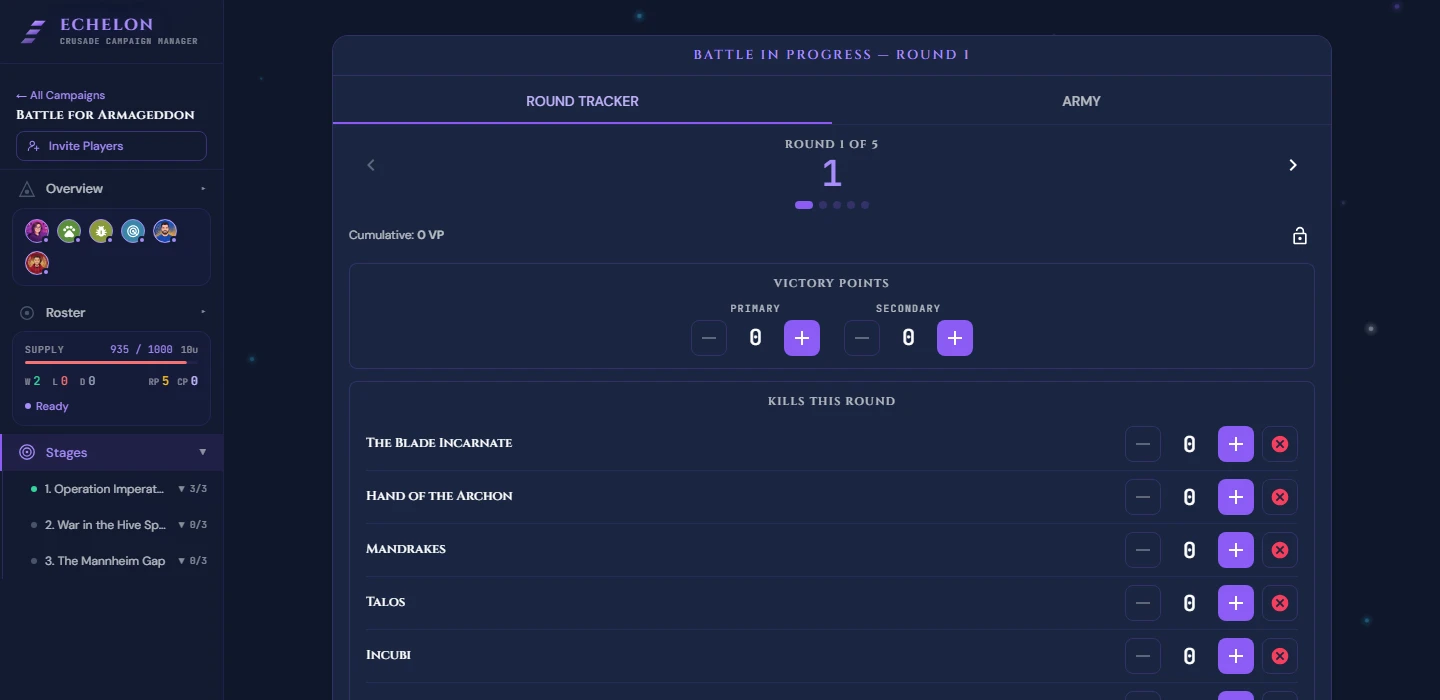
The Live Battle Companion turns your tablet or phone into a scorecard for the game in front of you. It tracks battle rounds, Primary and Secondary Victory Points, unit kill tallies and Agenda progress as you play, so the post-battle report is already half filled in when the game ends.
Muster your force first. The companion needs to know who is on the table.
Live Companion Interface
Core Features
- Round & Turn Tracker: Advance rounds (1 through 5) and track active battle phases (Command, Movement, Shooting, Charge, Fight).
- Victory Point (VP) Scorepad: Record Primary Objective scores, Command Points (CP) spent, and secondary mission points.
- Unit Survival Checklist: Mark units as Destroyed / Out of Action as models are removed from the tabletop.
- Kill Counters: Tap unit cards during the game to increment kill tallies instantly.
Step-by-Step Instructions
Step 1: Launch the Battle Companion
- Complete pre-battle mustering in Battles > Start Match.
- Click Launch Live Companion.
- Place your device near the gaming table.
Step 2: Scoring Rounds & VP
- At the end of each Command Phase or turn, enter scored Victory Points into the Primary Score input.
- Track CP usage using the + / - CP Buttons.
Step 3: Tallying Kills & Casualties
- When a unit destroys an enemy unit, tap the unit's Crusade Card in the tracker and click + Add Kill.
- When your own unit is destroyed, toggle Out of Action. This automatically queues the unit for a post-battle Casualty Test.
Step 4: Concluding the Match
- At the end of Round 5 (or upon player concession), click End Match.
- Review the match summary screen (Total VP, Winner, Unit Kills).
- Click Proceed to Post-Battle Resolution to calculate XP gains and process Casualty Tests.
Missions on the Battle Screen
If the Campaign Host has given you a Mission for this battle, it comes with its briefing and its reward. While you are still mustering it sits on the Missions tab, beside Agendas and Requisitions. Once the game is under way it moves to its own section further down the battle page, which is also where a host who is not fighting this battle will find it. Missions covering the stage or the whole campaign show up in the same place, labelled with where they came from.
You see the Missions given to you and nobody else's. The host judges them after the game.