Requisitions & Upgrades
Requisition Points are the currency of a Crusade campaign. You earn them by playing matches and spend them between battles, on raising your Supply Limit, fitting relics, or healing units that came off badly.
You will need an Order of Battle to spend them on.
Standard Requisition Menu
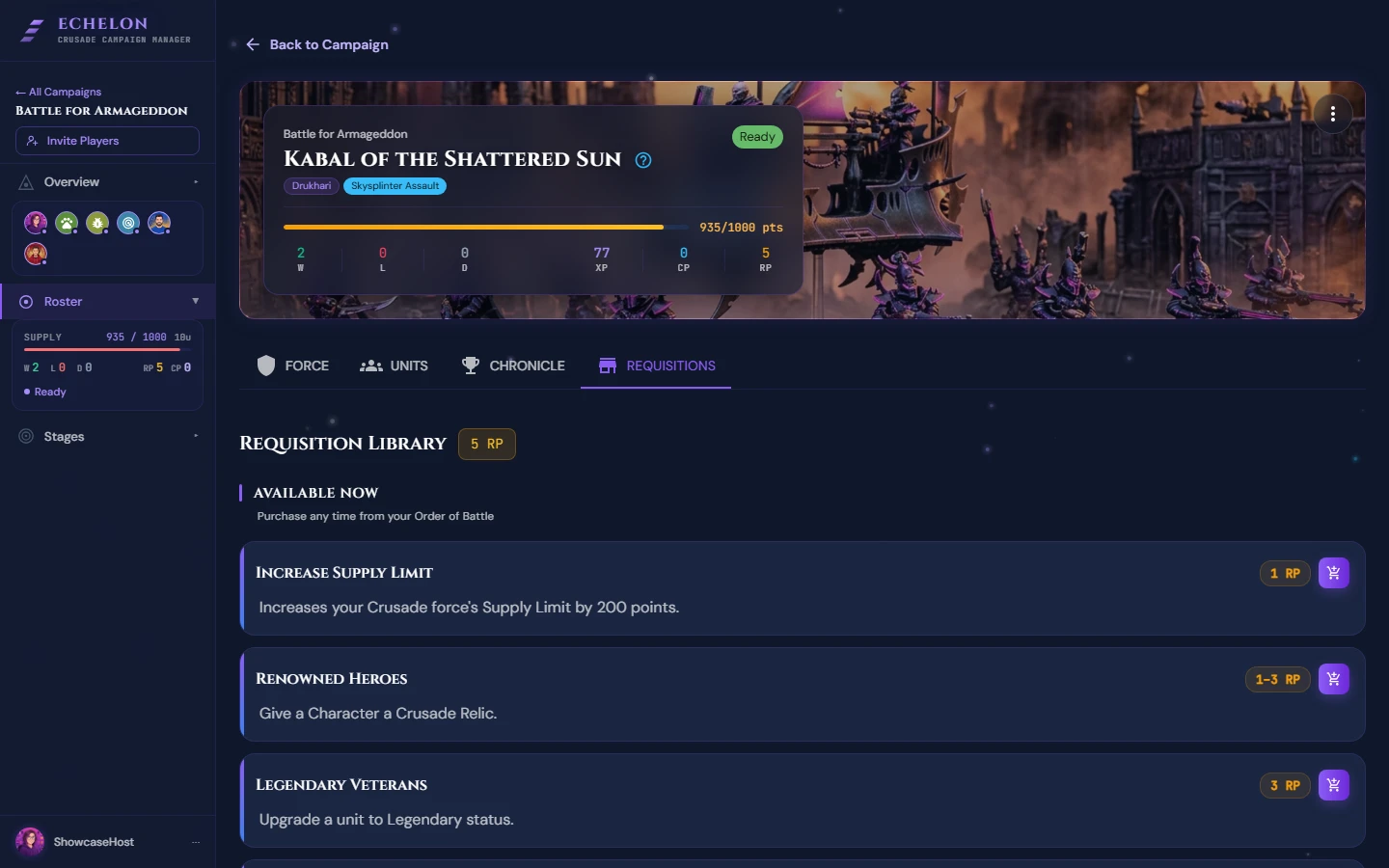
Echelon enforces the official Warhammer 40,000 Crusade Requisition rules out of the box:
| Requisition | Cost | Effect |
|---|---|---|
| Increase Supply Limit | 1 RP | Increases your Order of Battle Supply Limit by +200 points. |
| Warlord Trait | 1 RP | Assign a Warlord Trait to an eligible Character unit card. |
| Relics of the Crusade | 1 RP | Equip a Crusade Relic to a Character unit card. |
| Enhancement | 1 RP | Assign a Detachment Enhancement to a Character unit before battle. |
| Rearm & Resupply | 1 RP | Remove 1 Battle Scar from a unit or swap out its weapon equipment options. |
| Fresh Recruits | 1 RP | Increase the squad size of an existing unit without resetting its XP. |
| Repair & Recuperate | 1 RP | Clear an Out of Action status penalty. |
How to Purchase a Requisition in Echelon
- Open your Order of Battle.
- Locate your current RP Balance badge in the upper right.
- Click Spend RP.
- Select the Requisition from the modal list.
- Choose the target Crusade Card (if applicable).
- Click Confirm Purchase.

Echelon will automatically deduct 1 RP from your balance and update the target unit's card.
RP Banking Cap
Orders of Battle cannot hold more than 5 RP at any time. Any RP earned above 5 is lost if you do not spend it.
Your Own Custom Requisitions
You can add house-rule Requisitions to your own force (e.g. Hire Mercenaries, Orbital Bombardment Strike), with their own RP cost and a fixed or variable price. They appear in your Spend RP menu alongside the standard ones and are spent the same way.
These belong to your roster rather than to the campaign, so agree a house rule with your group before you add it. A host who wants to hand out something in return for an objective is looking for a Mission reward instead.