Participants & Permissions
If you host a campaign, this is how you let people in and what you can change once they are playing. The campaign is yours to run, but each player's force is theirs, and that includes its Requisition Points and Supply Limit.
How many players you can have depends on your tier, and the count includes you: 4 on Free, 8 on Supporter, 50 on Commander. The cap applies to campaigns you host. Joining someone else's is unlimited on every tier.
Participant Roles Matrix
A campaign has one Campaign Host, and everyone else is a player. The host is a player too, with a roster of their own.
| Permission / Action | Campaign Host (Owner) | Player (Participant) |
|---|---|---|
| Join Campaign & Keep a Roster | ✅ | ✅ |
| Log Own Battle Results & Track XP | ✅ | ✅ |
| Edit Own Roster & Crusade Cards | ✅ | ✅ |
| Adjust Own Requisition Points, With a Logged Reason | ✅ | ✅ |
| Edit Another Player's Roster, RP or Victory Points | ❌ | ❌ |
| Raise the Starting Supply Limit for Everyone | ✅ | ❌ |
| End a Battle Without Every Player's Agreement | ✅ | ❌ |
| Manage Campaign Stages, Battles & Settings | ✅ | ❌ |
| Invite & Remove Players | ✅ | ❌ |
Inviting Players
Open your campaign and click Invite Players. There is no join code. There are two ways in:
- Share a link: press Get invite link, then copy it, show its QR code, or post it straight to WhatsApp, X, Reddit or Facebook. Anyone with the link can join, so press Regenerate Link if it's ever over-shared; the old link stops working immediately. Nobody is emailed this way, so you won't see who has yet to reply.
- Send an invite: search by display name or username to invite someone who already has an Echelon account, or type their email address to invite someone who does not have one. Echelon emails them a link to join, and their invite is waiting for them the moment they register.
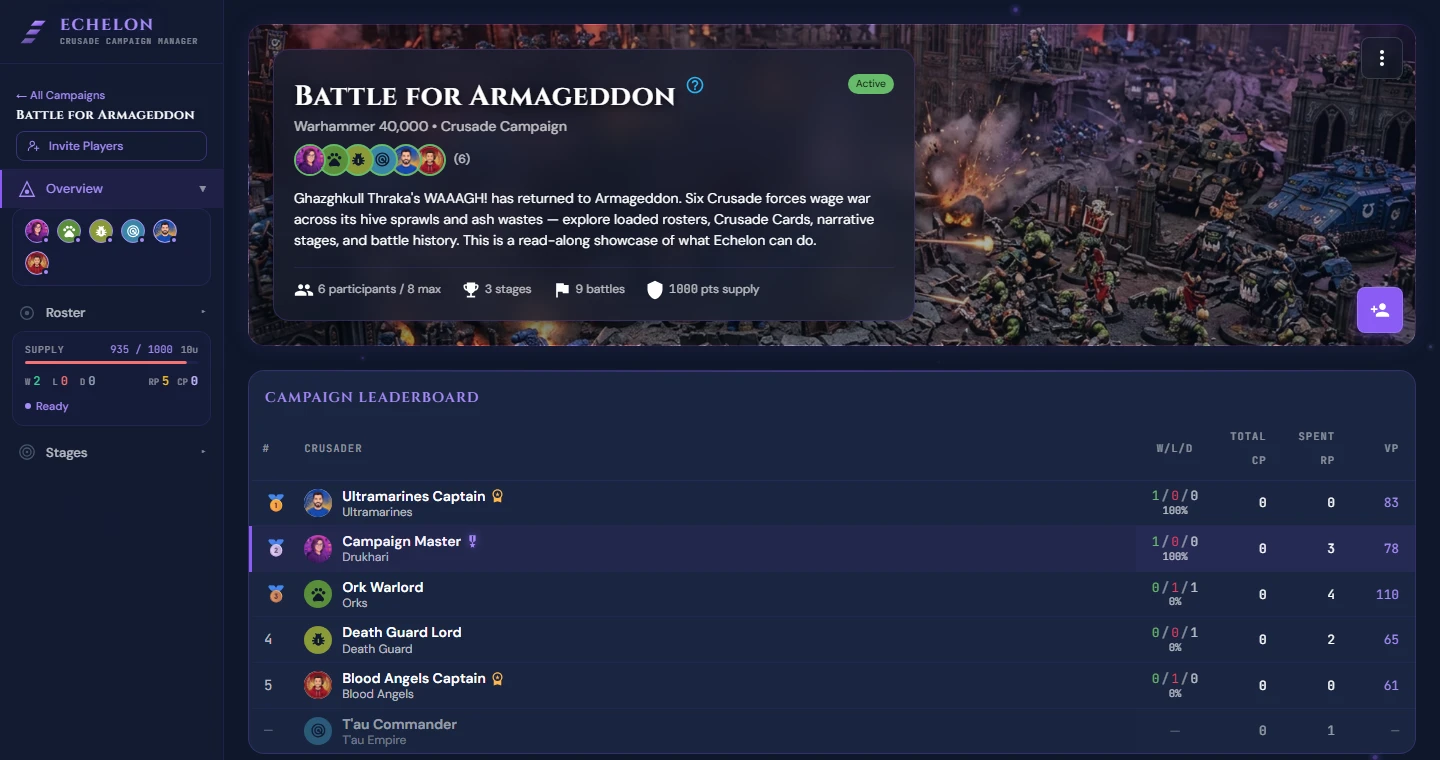
A player who joins appears under Active Participants in Campaign Participants, which opens from the row of player avatars in the campaign header. Their roster is set up for them, starting at the campaign's Supply Limit and Requisition Points.
Host Administrative Controls
Each player's Order of Battle and Crusade Cards are theirs to edit, and so are their Requisition Points. As Campaign Host you run the campaign around them:
- Remove a player who has dropped out with Remove Participant, or withdraw an invite with Cancel Invite, both in Campaign Participants.
- Change a battle's name, mission, date, location, stage and narrative with Edit battle on the battle page, until the battle is completed.
- End a game that has stalled. While a battle is in progress, End without agreement ends it without waiting for every player's vote. The victory points stay as the players entered them. If a finished battle is waiting on a post-battle report that is not coming, Complete battle without them closes it, and the missing player can still file their report afterwards.
- Raise Starting Supply Limit (Points) on Edit Campaign. The difference is added to every player's roster, on top of any Increase Supply Limit requisitions they have already bought. It cannot be lowered again, and it cannot be raised for one player.
- Hand the campaign over with Transfer Host in the campaign menu. You become an ordinary player, and the new host needs room under their own plan's limit on hosted campaigns.
What you cannot do is change another player's Requisition Points, Supply Limit or victory points. A player adjusts their own RP with Adjust RP on the Requisitions tab of their roster, and has to give a reason, which is logged. A narrative reward or a catch-up grant is therefore something you agree on and they enter. Victory points are entered by each player for themselves while the battle is in progress, and cannot be changed once it ends. See the Campaign Host Quickstart.
Tier-Based Participant Limits
Participant capacity is determined by the campaign host's subscription tier:
Reaching Participant Capacity
The cap counts you as well as your players. Once a campaign is full, a player who follows your link is told the campaign is full for the host's current tier, and nobody else gets in until someone leaves or you upgrade. Upgrading raises the cap straight away, for every campaign you host. Max Participants (optional) on Edit Campaign sets a lower cap of your own, and a player who reaches it is told you have capped the campaign.
See the Subscriptions & Tiers Guide for detailed pricing and feature comparisons.