Stages & Narrative Phases
Narrative campaigns are rarely fought all at once. Stages break a campaign into chapters, each with its own prologue, planet and battles, so a long campaign has shape rather than being one undifferentiated pile of games.
Stages are a host tool, and you need a campaign before you can add one.
Each stage also carries its own Story Beats, which sit beside the prologue on the Stages page: the prologue sets the scene, and the beats are what the group is trying to make happen in it.
Anatomy of a Campaign Stage
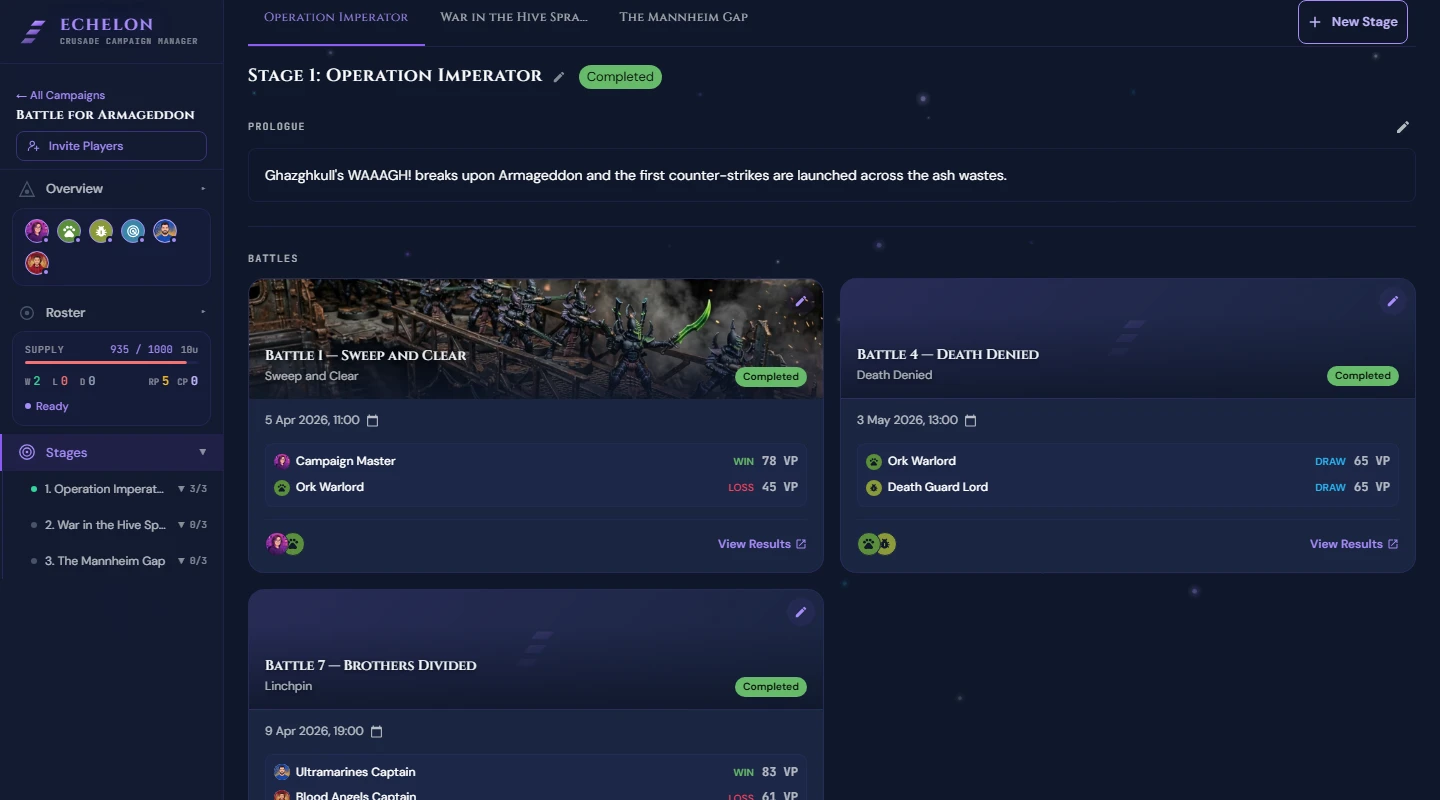
Each Stage holds:
- A Stage Name and a Prologue, which is the story your group reads at the top of the chapter.
- An optional planet: a Planet Name, a type, a Tagline and an image, so a chapter has a place as well as a title.
- Its battles. Everything a stage reports about its own progress comes from these.
- Its Story Beats, and a Conclusion you write once the chapter's story has been told.
Point limits belong to battles rather than stages. Each battle carries its own Points Target, set when you schedule it, so an escalation campaign is a matter of raising that figure as the stages go on.
Creating & Configuring Stages
- Open your campaign and go to Stages.
- Click New Stage.
- Fill in the stage:
- Stage Name: e.g. Phase I: The Beachhead.
- Prologue: the story background or lore intro for this chapter.
- Planet Name and Tagline, if you want the chapter to have a world attached.
- Click Create Stage.
How a Stage Advances
There is no button that closes a stage. A stage works out its own status from the battles inside it:
- Upcoming, until a battle in the stage has started.
- Active, while any battle in it is underway.
- Complete, once every battle in it has finished. Cancelled battles are ignored.
A chapter therefore ends when its games are played, not when someone declares it over. Nothing locks when a stage completes, and no stage winner is worked out. Standings are campaign-wide and rank players on their win, loss and draw record.
The one thing left to do by hand is the Conclusion, the closing narrative on each stage. Echelon will not write that for you, which is the point of it.
Frequently Asked Questions
Can a battle be added to a stage that has already completed?
Yes. A battle belongs to whichever stage its Stage field names, and the host can change that with Edit battle on the battle page until the battle is completed. A stage that was showing as Complete goes back to Active if an unplayed battle is moved into it, because the status is only ever a reading of the battles it contains.